

 3,000+ Reviews
 Built for Shopify
Make Your Shopify Store GDPR Compliant & Accessible in Minutes
Automatically manage consent, block tracking before approval, and stay compliant with GDPR, CCPA, LGPD and more. Pandectes is the Preferred GDPR Solution for Shopify Plus Merchants.
- Free 7-day trial
- No setup fees
- Cancel anytime
- 185kStore Installs
- 17m+Consents/day
- 3,000+★★★★★ 5/5 reviews



Trusted by 185,000+ Shopify Stores worldwide















Why choose Pandectes for your Shopify store?
Automated Compliance
Stay compliant with GDPR, CCPA, and other privacy laws automatically. Our AI-powered system adapts to new regulations.
One-Click Setup
Install and configure in minutes. No coding required. Works seamlessly with your existing Shopify theme & headless stores.
Multi-Region Support
Automatically detect visitor location and show appropriate consent banners for different jurisdictions.
Legal Compliance
Built by legal experts and reviewed by compliance professionals. Reduce your legal risk significantly.
Real-Time Updates
Automatically updated cookie policy when new tracking elements are detected. Never worry about it.
Performance Optimized
Lightweight solution that won't slow down your store. Optimized for speed and user experience.
Loved by Shopify Store Owners
See what our customers say about their experience
Sehr guter Support, der einem durch die sehr detaillierten Konfigurationsmöglichkeiten hilft.

App provides what you need to be compliant. Konstantinos was very helpful in helping me navigate a few issues. Definitely recommend!
Genial! Cumple la normativa, llevas todo el seguimiento en un mismo sitio y además el servicio técnico es genial, muy contentos!!
Store Scanning & Cookie Policy
Scan your store allows you to quickly and easily generate a comprehensive cookie policy for your website. By using the tool, you can ensure that your website is compliant with all relevant laws and regulations regarding the use of cookies.
Start Your Free Trial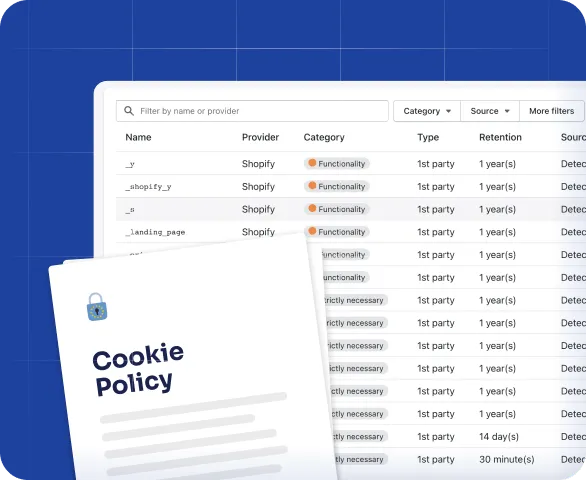
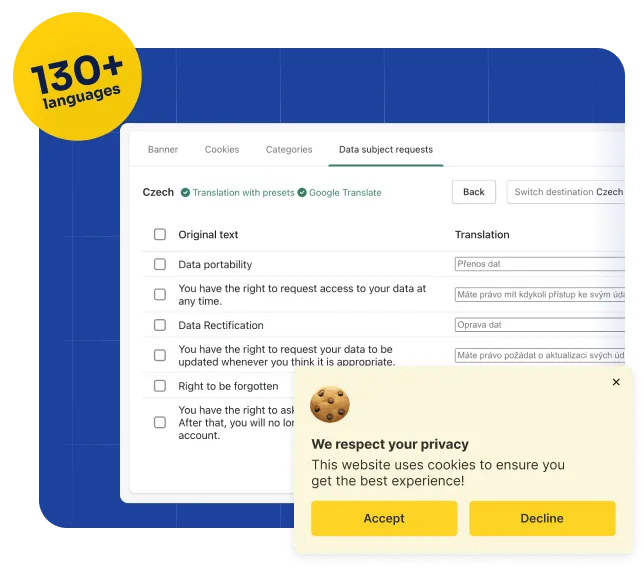
Multiple languages & Translations
Having your banner and compliance pages translated into 130+ languages can help to make your website more accessible and user-friendly for a global audience. It also works with all translation apps.
- Manual translation
- Translation with presets
- Google Translate
Auto-blocker & Google Consent Mode
Block popular tracking technologies until consent is given. Run Google Analytics and Google Ads with Google Consent Mode. It includes all popular services but also option to add custom rules.
Start Your Free Trial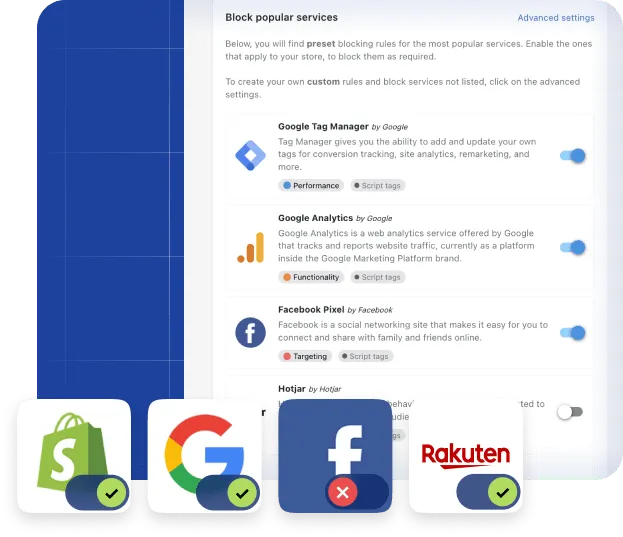
Pricing
Enjoy 7-day free trial on all paid plans. Cancel anytime.
Basic
Get started
- Customizable Banner
- Customer Requests
- GDPR/CCPA/LGPD
- EU languages presets
- Consent tracking
- Free store scan
Plus
Must have features
+ all from Basic
- Preferences Popup
- On-demand Scans
- Cookies Declaration
- Multiple languages
- Advanced Styling
- Do not sell my data
Premium
Extra features for scaling
+ all from Plus
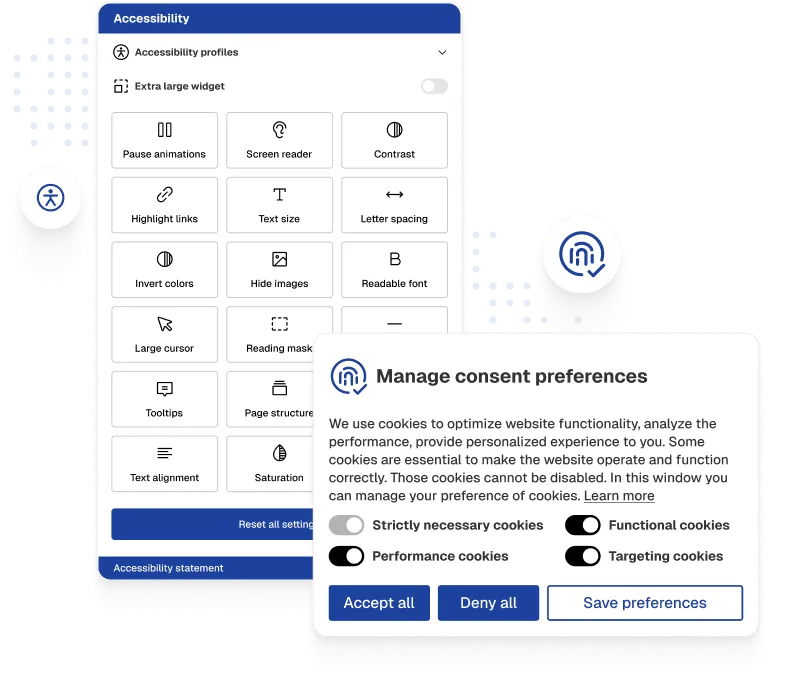
- Web Accessibility Widget
- Auto Blocker
- Design support
- Advanced Blocking
- Checkout block
- Admin Mode
- Priority support
Enterprise
Best for Shopify Plus
+ all from Premium
- Scan Behind Password
- Block Bots & Crawlers
- Recommendations
- Google Translate
- Javascript API
- TCF/IAB v2.3 Banner
Recent Posts

Apple App Tracking Transparency (ATT) in 2026: Key Business Impacts
How the 2026 EU antitrust ruling reshapes Apple's ATT prompt, and what it means for attribution, ad spend, and Shopify merchants.

The Main Types of Third-Party Risk Explained
A "third party" is any external entity your business engages with: vendors, data processors, cloud providers, marketing tools, logistics partners, payment…
What Colorado's Revised AI Law Means for Businesses
Learn how Colorado’s revised AI Act regulates automated decisions, consumer notices, human review, recordkeeping, and business compliance.