

 Install free
Pandectes vs Shopify Customer Privacy (2026 Comparison)
What you get beyond the native banner
Shopify's built-in banner is a good starting point. Pandectes replaces it with a banner of its own and stays fully integrated with Shopify's Customer Privacy API. Here is what Pandectes adds, which of it is free, and how to switch back in a few minutes.
Shopify's built-in banner is a good starting point
Every Shopify store can switch on a cookie banner from its own settings at no extra cost. For a store with simple needs that is a sensible place to start. When you need more, Pandectes takes the banner's place, and because the app is fully integrated with Shopify's Customer Privacy API, a visitor's choice still reaches Shopify and the apps that listen to it.
This page is for merchants who have outgrown that starting point, or who tried the native banner after using Pandectes and started to notice what was missing. You'll find what Pandectes adds, which of it is free, and how to switch back.
Does Shopify's built-in cookie banner block tracking scripts?
Only some of them. Shopify's banner applies a visitor's choice to Shopify's own cookies and to the apps that read its Customer Privacy API. It does not block a script added to your theme, an app that isn't integrated with the API, or a tag fired from Google Tag Manager, such as a Meta Pixel or TikTok pixel added there. Those still load before the visitor consents unless you code the integration yourself. Pandectes blocks them automatically until the visitor agrees, and passes the choice to your Google Tag Manager tags.
What is Shopify Customer Privacy?
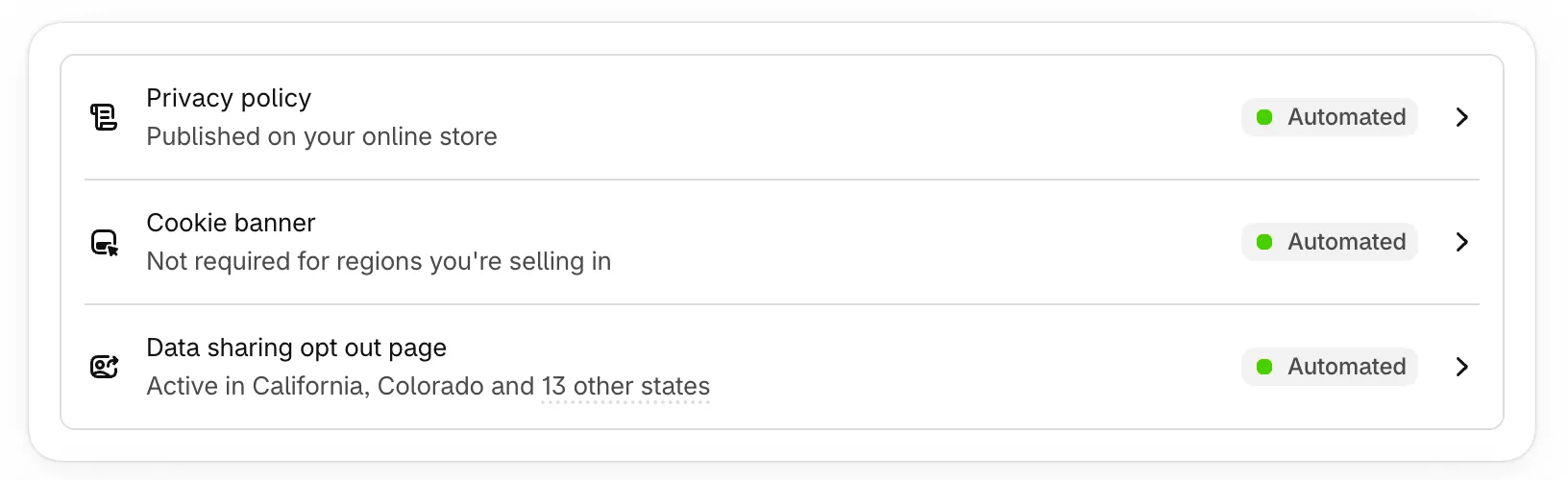
Shopify Customer Privacy is part of your store settings rather than a separate app. As the screenshot shows, it automates three things: a privacy policy published on your online store, a cookie banner that appears where consent is required, and a data sharing opt out page for the US states where one applies. The banner has basic styling and positioning options and a region-based policy.
What is Pandectes GDPR Compliance?
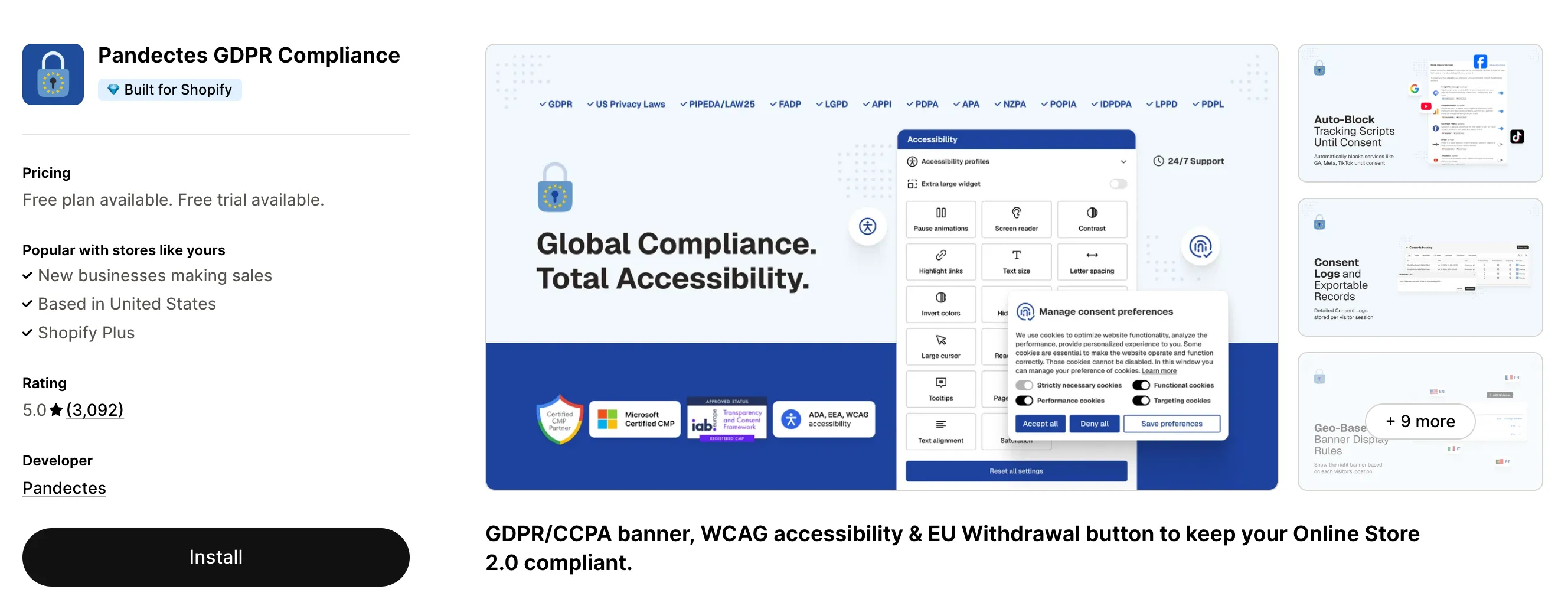
Pandectes GDPR Compliance is a Shopify app that handles the whole consent workflow: a highly configurable banner, script blocking, store scanning, consent records and analytics, data subject requests, and integrations with Google, Microsoft, Meta and more. It is a Google and Microsoft certified CMP, rated 5/5 across 3,000+ reviews on the Shopify App Store, and it has a free plan.
What the two have in common
Both options give you:
- A cookie banner on your storefront
- Basic styling and positioning
- A region-based policy, so visitors in different places can be treated differently
- A banner that appears only where consent is required
- Manual setup on headless stores
- A banner in a single language
If that covers what your store needs, the native banner may be all you need. Everything below is what Pandectes adds on top.
What you miss when you switch to the native banner
Here is what you give up by switching away from Pandectes, along with the plan each part comes with.
A banner that fits your store
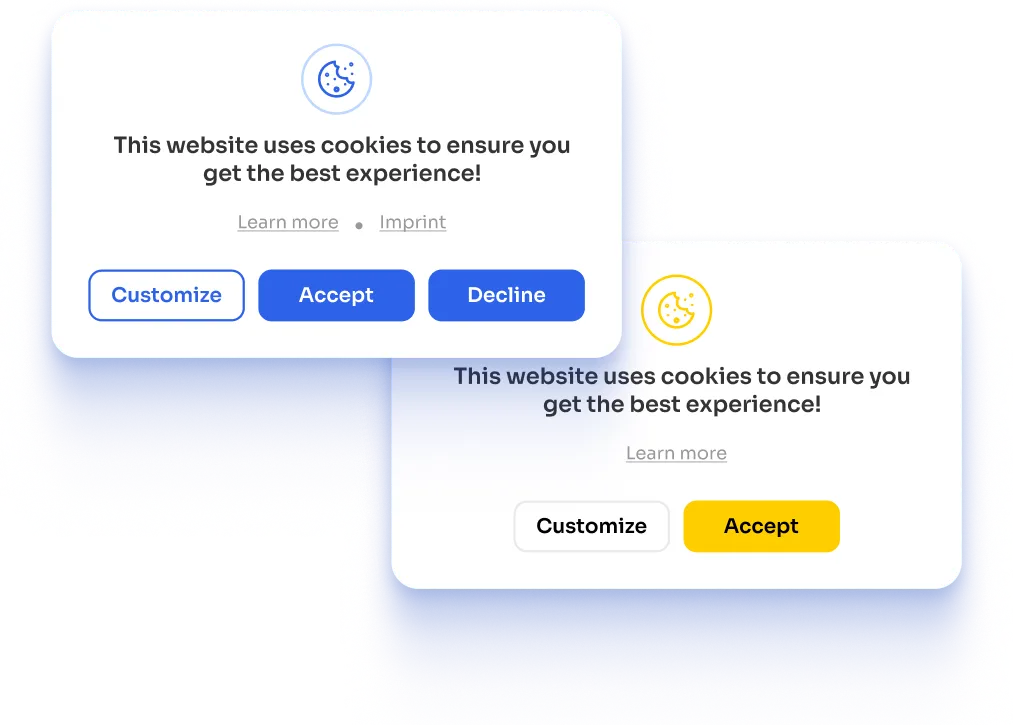
Pandectes gives you far more control over how the banner looks and behaves. You can choose from multiple layouts and positions, offer finer choices by cookie category, set different options for desktop and mobile, add a language switcher inside the banner, and link to your imprint and extra Google resources. Custom CSS and advanced styling are included from the Plus plan. The branding and styling controls, the logo gallery and the imprint link are all on the free Basic plan.
Rules that follow your customers across regions
A native region-based policy is a good start. Pandectes goes further with opt-in or opt-out rules for each country or region (from the Premium plan) and finer control over where the banner shows. US visitors can opt out of the sale or sharing of their data from inside the banner (from the Plus plan), and visitors can reset their consent whenever they change their mind (from the Plus plan). For publishers and ad-driven stores there is an IAB TCF v2.4 banner (from the Enterprise plan).
Scripts that wait for a yes
A banner records what a visitor chose. Blocking is what makes trackers wait for that choice. Shopify's native banner applies the choice to Shopify's own cookies and to the apps built to read its Customer Privacy API. It doesn't reach what sits outside that: an app that isn't integrated with the API, a script added to your theme, or a tag fired from Google Tag Manager. For each of those you would have to code the integration yourself.
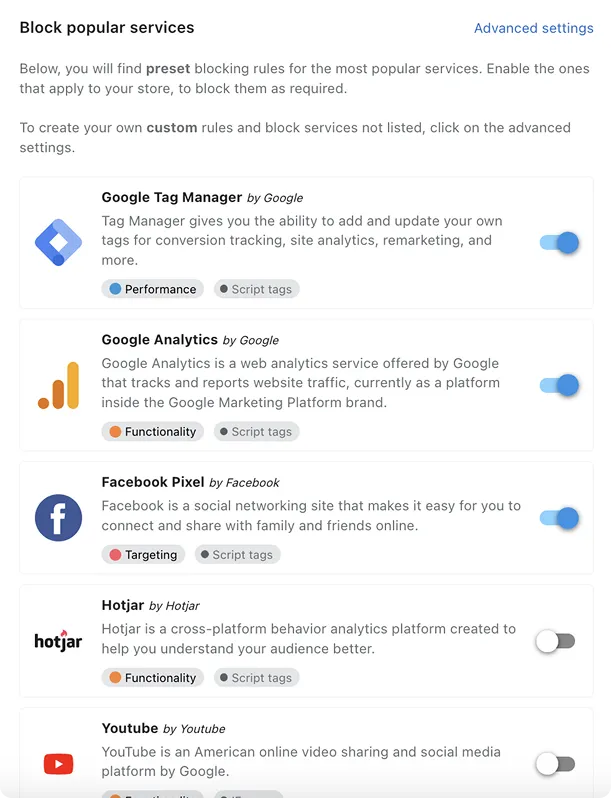
Pandectes holds them back for you. It offers an auto-blocker for popular services (from the Premium plan), a manual blocker for your own scripts, iframes and pixels (from the Premium plan), and an inline blocker for scripts written straight into your pages (from the Enterprise plan). A Google Tag Manager template passes the visitor's choice to your tags. Tracker management (from the Plus plan) lets you review and edit the details of each cookie, and custom pixels are supported too.
Know what runs on your store
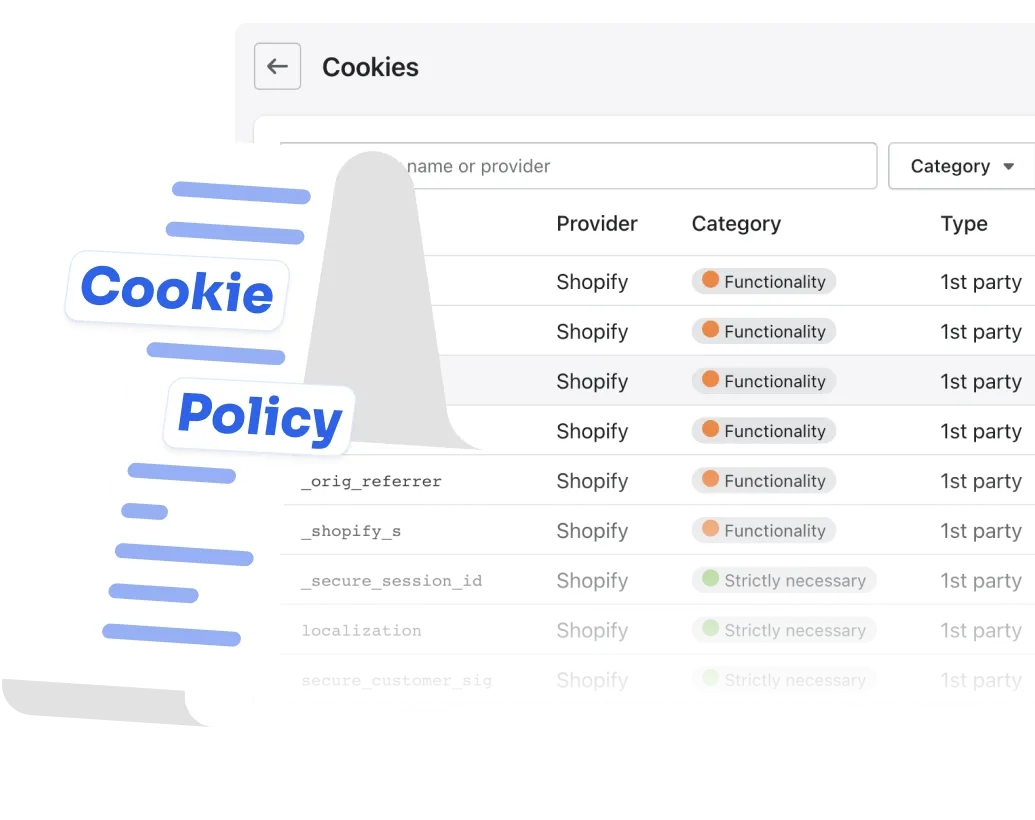
Pandectes scans your store, detects the cookies and trackers it finds, and classifies them automatically. The first scan and the automatic classification are on the free Basic plan, and you can schedule scans to repeat on their own (from the Enterprise plan). Those results feed an automated cookie policy that stays in step with what your store really loads (from the Plus plan), instead of a page someone has to remember to update.
Consent numbers you can use
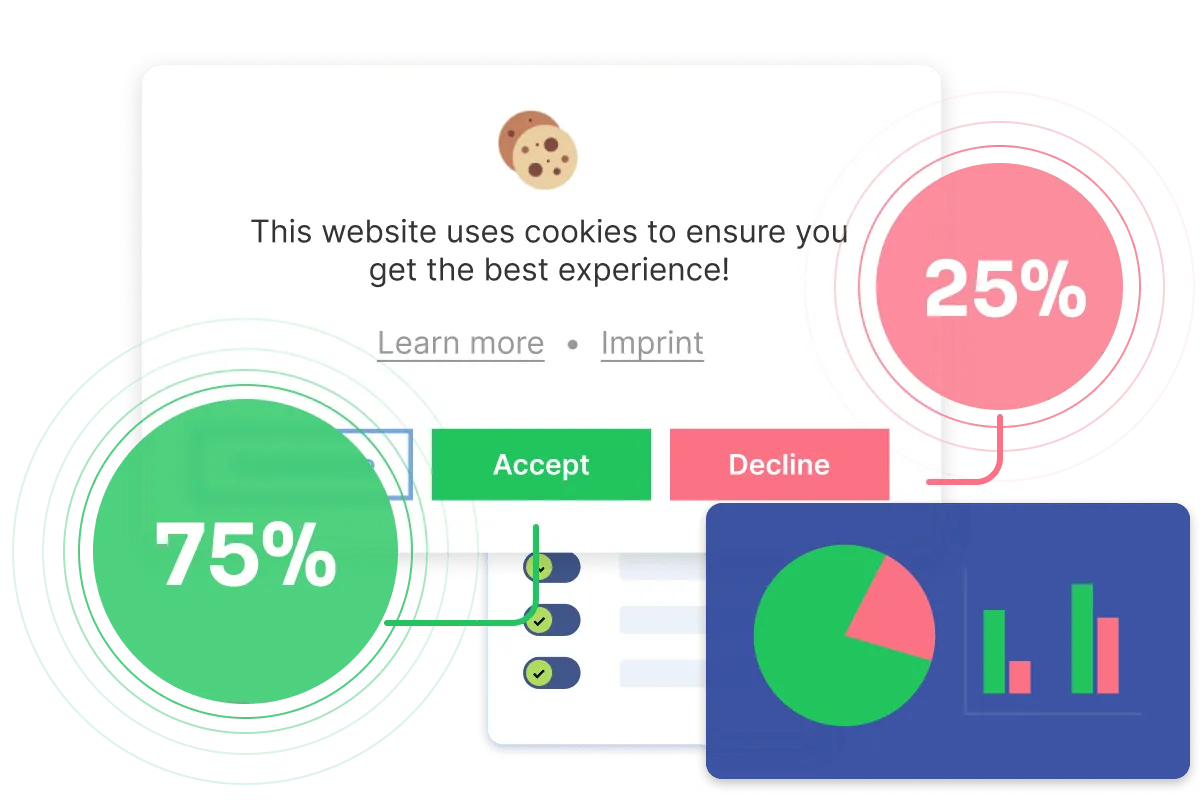
Consent analytics show how visitors respond to your banner (from the Plus plan), while consent reports and the consent list give you a record of what visitors chose. The consent list is on the free Basic plan. When a regulator, a partner or your own team asks what a visitor agreed to, you can answer it.
Customer requests in one place
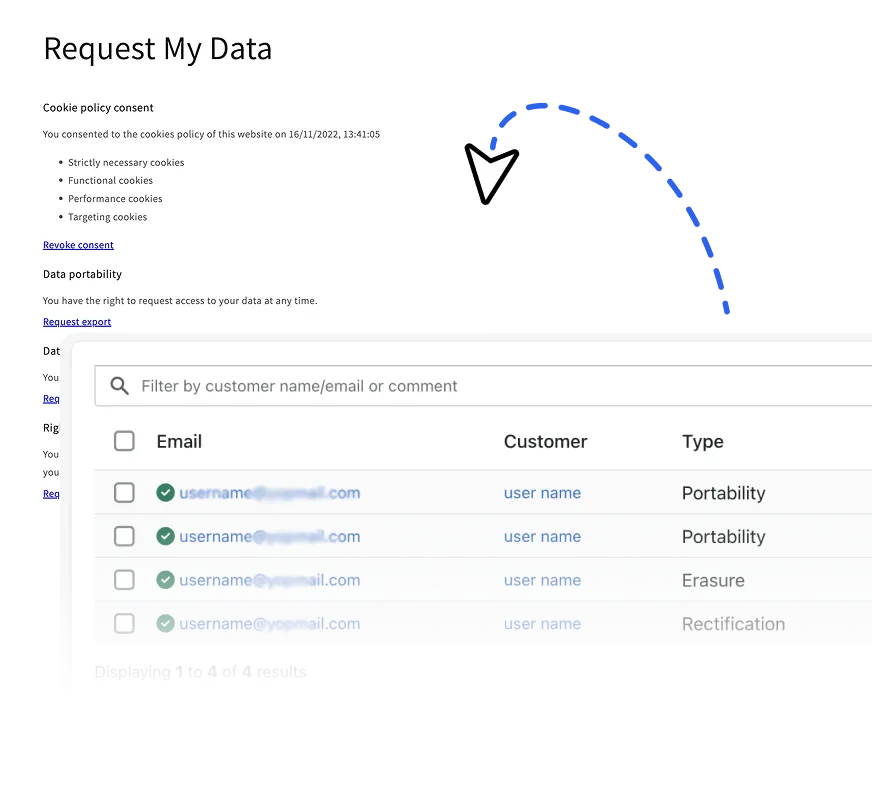
Pandectes manages data subject requests for you. Customers submit them from a page or a theme block, and you work through them in the app. With the customer account extension, shoppers can also send a request from inside their Shopify customer account. The request page is on the free Basic plan, while email templates for every message that gets sent and notifications both come from the Plus plan. Withdrawal functionality adds a customizable withdrawal form with email templates and a requests dashboard (from the Premium plan).
An accessibility widget
Pandectes also includes an accessibility widget with over 20 features, ready-made accessibility profiles, and brand customization, available from the Premium plan.
Ads, analytics and marketing tools that respect consent
Pandectes connects consent to the tools you already run: Google Consent Mode (from the Plus plan), Microsoft Consent Mode, Microsoft Clarity, the Facebook pixel, the Amazon consent signal, Rakuten CMP, Klaviyo, Global Privacy Control and the Pandectes custom event. There is a Google Tag Manager template for stores that manage tags there, and custom pixels are supported. Being a certified CMP matters when your ad accounts expect a certified consent solution in the EEA and UK.
Every shopper in their own language
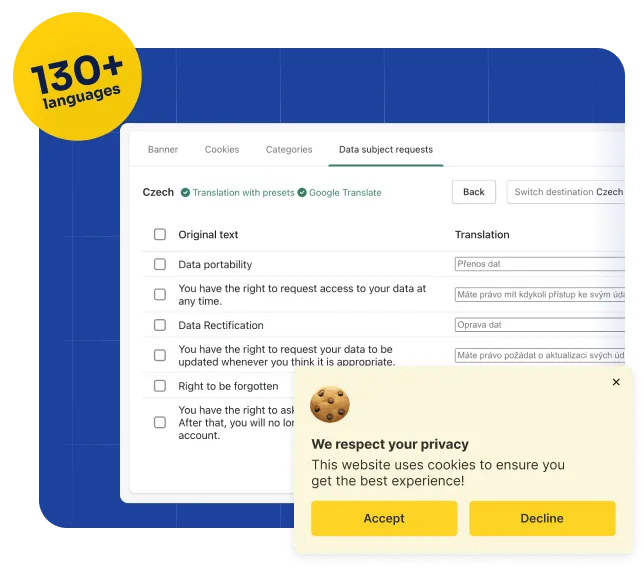
The native banner speaks one language. Pandectes translates the banner content into multiple languages and gives you several ways to detect which one a visitor should see (from the Plus plan), so shoppers in Paris, Berlin and Lisbon each read the banner in their own.
Built for headless stores too
Both options support a manual setup on a headless storefront. Pandectes adds an automated setup (from the Enterprise plan) and a StoreFront API for custom storefronts.
People and guides when you need them
Shopify Support is the right place for questions about Shopify itself. For privacy setup, Pandectes adds live chat with its own team, around the clock and on the free Basic plan, plus video tutorials and a help center.
A banner alone doesn't make a store compliant
Privacy laws ask for far more than a banner. A banner is where a visitor makes a choice, and the law cares just as much about what happens before and after it. Shopify's native tools give you the notice and the choice, plus an opt out page for the US states that call for one. The requirements below go further. They are what the native banner doesn't handle on its own, and what Pandectes does. This is a summary to help you compare the two, not legal advice. For the full picture of what a store needs, see our Shopify GDPR compliance guide.
GDPR (EU and UK)
Under the GDPR and the ePrivacy rules on cookies, a store that sells to people in the EU or UK needs to:
- Get consent before anything non-essential runs (GDPR Articles 6 and 7, ePrivacy Directive Article 5(3)). Analytics, advertising and other trackers have to wait for a yes. Pandectes holds them back with its auto-blocker, from the Premium plan, and with manual and inline blockers for your own scripts.
- Ask for specific, granular consent (Articles 4(11) and 7). Visitors should be able to accept analytics and refuse advertising. Pandectes offers choices by cookie category.
- Be able to prove consent (Article 7(1)). Pandectes keeps a consent list, on the free Basic plan, and consent analytics from the Plus plan.
- Let visitors withdraw as easily as they agreed (Article 7(3)). Pandectes adds a reset consent button, from the Plus plan.
- Tell visitors what you collect and why (Articles 12 to 14). Pandectes scans your store and classifies what it finds, on the free Basic plan, and builds an automated cookie policy from the Plus plan, so the policy matches what your store really loads.
- Handle data subject requests (Articles 15 to 22, answered within one month). Pandectes gives customers a request page, on the free Basic plan, and a customer account extension, so they can ask from inside their account. You manage the replies with email templates and notifications from the Plus plan.
Some GDPR duties sit outside any banner, whichever one you choose: records of your processing (Article 30), agreements with the vendors that handle your customers' data (Article 28), rules for transfers outside the EU, and breach notification. Those stay with you and your advisers.
CCPA, CPRA and other US state laws
The CCPA and CPRA, and a growing list of US state laws, work on an opt-out basis. A store needs to:
- Let visitors opt out of the sale or sharing of their data. Shopify generates a data sharing opt out page. Pandectes also puts a "Do not sell or share my data" option in the banner itself, from the Plus plan.
- Honor opt-out signals such as Global Privacy Control. Pandectes supports it on the free Basic plan.
- Keep advertising tags quiet once a visitor opts out. This is the blocking described above, applied to scripts the native banner can't see.
- Answer requests to know, delete or correct data, within the time the law allows. The same request page and email templates handle these.
Other regions
Laws differ by country, and visitors from each should see the rules that apply to them. Pandectes lets you set a different policy per region (from the Premium plan) and covers LGPD in Brazil, PIPEDA and Law 25 in Canada, FADP in Switzerland, APPI in Japan, PDPA in Thailand, APA in Australia, NZPA in New Zealand, POPIA in South Africa and more. See all supported regulations.
What you get on the free plan
Coming back to Pandectes doesn't have to cost anything. The Basic plan is free and already includes:
- Tailored branding & styling
- Logo gallery
- Configurable Privacy policy & Impressum links
- Consents list
- Cookie information and auto categorization
- Customer data requests page
- Global Privacy Control
- 24x7 live chat
Paid plans start at $9 a month, with no page view limits and a 7-day free trial, so you can try the features above before you pay for anything. See the full plan comparison.
The full comparison, side by side
Everything above in one table. A dash means the native banner doesn't offer it.
| Feature | Shopify Customer Privacy | Pandectes |
|---|---|---|
| In common | ||
| Cookie banner on your storefront | ||
| Basic styling and positioning | ||
| Region-based policy | ||
| Banner shown only where consent is required | ||
| Manual setup on headless stores | ||
| Banner in a single language | ||
| Banner design | ||
| Multiple layouts and positions | ||
| Granular consent choices for cookies | ||
| Separate desktop and mobile options | ||
| Custom CSS and advanced styling | ||
| Language switcher in the banner | ||
| Imprint and extra Google links | ||
| "Do not sell or share my data" in the banner | ||
| Accessibility widget | ||
| Regions and standards | ||
| Advanced region-based policy and visibility | ||
| Reset consent option | ||
| IAB TCF banner | ||
| Google Tag Manager template | ||
| Blocking and trackers | ||
| Auto-blocker | ||
| Manual blocker | ||
| Inline blocker | ||
| Holds back apps without a Shopify integration, theme scripts and Google Tag Manager tags | ||
| Tracker management | ||
| Custom pixel support | ||
| Scanning and cookie policy | ||
| Tracker scanner with scheduler | ||
| Automated tracker classification | ||
| Automated cookie policy | ||
| Evidence and customer requests | ||
| Consent analytics | ||
| Consent reports | ||
| Data subject request management | ||
| Customer account extension for data requests | ||
| Email templates | ||
| Notifications | ||
| Withdrawal functionality | ||
| Languages | ||
| Banner content translated into multiple languages | ||
| Multiple ways to detect a visitor's language | ||
| Integrations and developers | ||
| Marketing and analytics integrationsGoogle and Microsoft consent modes, GPC, Facebook pixel, Microsoft Clarity, Amazon consent signal, Rakuten CMP, Klaviyo, Pandectes custom event | Apps that use Shopify's Customer Privacy API | |
| Automated headless store setup | ||
| StoreFront API | ||
| Support | ||
| Live chat and video tutorials for setup and compliance questions | General Shopify Support | |
Which one fits your store?
The native banner may be enough if
- You sell mainly in one region and your requirements are straightforward
- One banner in one language is all you need
- You don't run ad, analytics or marketing tools that depend on consent signals
- Everything on your store is Shopify's own or an app that reads Shopify's Customer Privacy API
- You don't need consent records, reports or data request handling
Pandectes is the better fit if
- You sell in several countries or languages
- You advertise with Google, Meta or Microsoft, or use tools like Klaviyo or Clarity
- You want scripts held back until a visitor chooses, including apps without a Shopify integration, theme scripts and Google Tag Manager tags
- You need to show consent records, or handle data and withdrawal requests
- You run a headless storefront, or want the banner to match a custom design
Switching back takes a few minutes
- Install Pandectes from the Shopify App Store. The Basic plan is free.
- Choose how the banner looks and which regions it covers, then run the store scan to see what your store loads.
- Switch off Shopify's built-in banner in your Customer privacy settings, so visitors see just one banner.
Pandectes keeps working with Shopify's Customer Privacy API throughout, so the apps that rely on it keep receiving your visitors' choices.
Get the full toolkit back
Free plan available. 7-day free trial on paid plans. No setup fees.
Start free on ShopifyFrequently asked questions
Is Shopify's built-in banner enough for GDPR?
It gives you a working banner and is a sensible starting point. Whether it is enough depends on what else runs on your store and where you sell. A banner records a choice. Holding scripts back until that choice is made, keeping consent records you can show, answering data requests and keeping a cookie policy current are separate jobs, and those are the parts Pandectes adds. If you're unsure, the free store scan shows what your store loads.
Does Shopify's built-in cookie banner block tracking scripts?
It covers Shopify's own cookies and the apps that integrate with its Customer Privacy API. An app that isn't integrated, a script placed in your theme or a tag in Google Tag Manager is not held back by it, so you would need to code those integrations yourself. Pandectes blocks them until a visitor consents and passes the choice on to your tags through its Google Tag Manager template.
Does a cookie banner make my store GDPR or CCPA compliant?
No banner does that alone. These laws also ask for consent before trackers run, proof of what each visitor chose, an easy way to withdraw, clear information about what you collect, and answers to customer requests. The section above lists what each one asks for and what covers it.
Can I run Pandectes and Shopify's banner at the same time?
No. Visitors should see one banner, so you use either Pandectes' or Shopify's, and switch the native one off when you use Pandectes. The API is a separate matter: Pandectes is fully integrated with Shopify's Customer Privacy API, so Shopify and the apps that rely on it still receive your visitors' choices.
Is it difficult to switch back?
No coding is needed. Install the app from the Shopify App Store, choose your banner settings, run a scan, and switch off the native banner. You can start on the free Basic plan and try paid features free for 7 days.
How much does Pandectes cost?
The Basic plan is free. Paid plans start at $9 a month and are not limited by page views. See the pricing page for each plan.
Does Pandectes work on headless stores?
Yes. Manual setup is supported, and the automated headless setup is available from the Enterprise plan.
Pro-Tip for your Merchants
The "Hidden" Risk: Many merchants assume that just installing an app makes them compliant. If they haven't run a Cookie Scan recently, they might be loading new tracking scripts from a recently installed marketing app that the banner doesn't "know" to block yet.