
 Install free
Ask your AI assistant about your privacy setup
Connect Pandectes to Claude, ChatGPT or any assistant that supports MCP, and ask in your own words whether your cookie banner is live, what your latest scan found or how your consent rates are moving. The answers come from your Pandectes app, and the connection is read-only.
Works with the assistant you already use
Pandectes runs an MCP server: MCP (Model Context Protocol) is the open standard AI assistants use to connect to other apps.
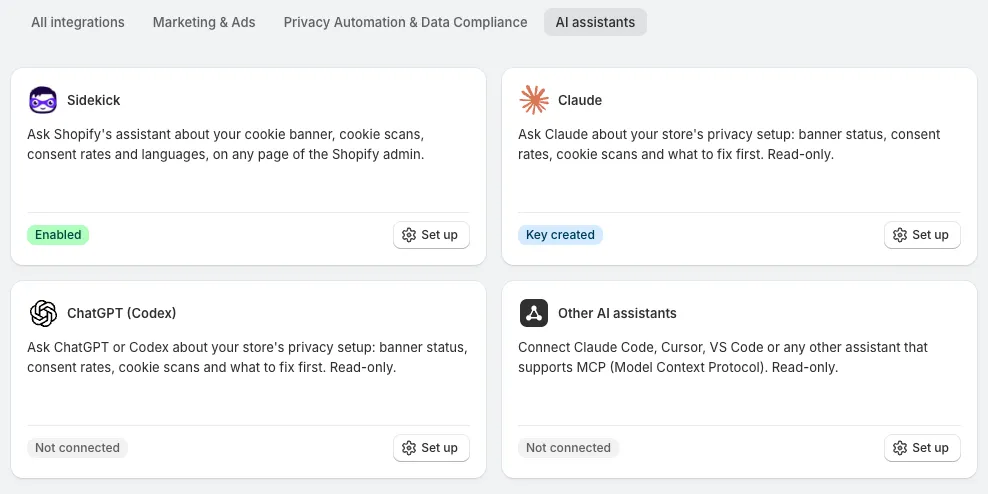
Claude
claude.ai, Claude Desktop and Claude Code.
See how to connect ›ChatGPT (Codex)
ChatGPT on the web, the Codex app and the Codex CLI.
See how to connect ›Other AI assistants
Cursor, VS Code, Windsurf and any other tool that supports remote MCP servers.
See how to connect ›Shopify Sidekick
The assistant in Shopify Admin, with nothing to set up.
Learn more ›
What you can ask
The assistant reads five parts of your setup. Ask in your own words; these are only examples.
Cookie banner status
Whether the banner is live, who sees it (everyone, admins only, selected regions or nobody) and what is stopping it from showing.
Latest cookie scan
When the last scan ran, the cookies, scripts and storage items it found, the cookies per category and the uncategorized ones worth a look.
Consent analytics
Impressions, interactions and consent figures for a period, from today to the last 12 months, compared with the one before, with your top countries.
Banner languages
Your banner languages compared with your Shopify languages, and which ones still need your own text.
Accessibility widget
Whether the widget is live, who sees it, which regions it covers and whether your plan includes it.
Where to start
Ask for a checkup and the assistant goes through all of it. Each answer links to the page in the app where you make the change.
Connected in four steps
Generate a key
On the Plus plan or higher, open Integrations > AI assistants in the app, click Set up on your assistant and generate a store key.
Add the connector
Paste the connector URL from the same page into your assistant, as a custom connector or an MCP server.
Approve with your key
Paste your key on the Connect to Pandectes page and approve. Developer tools can send the key from their configuration instead.
Ask your questions
Ask in plain language. Sidekick skips the first three steps: it answers as soon as Pandectes is installed.
You stay in control
The connector follows the same rules as the rest of Pandectes. Read how we keep your store secure.
Read-only
The assistant can't change a setting, publish the banner or start a scan. You make every change in the app.
No customer data
It reads settings and totals only: no consent records of individual visitors, no names, emails or orders.
One key, one store
A key links your assistant to one store, and you can see it in full for only 10 minutes after you create it.
Told about every connection
Pandectes emails your store's address each time an assistant connects with your key.
Cut access any time
Disconnect one assistant or revoke the key, on any plan, and its access stops right away.
Frequently Asked Questions
What is MCP?
MCP (Model Context Protocol) is the open standard AI assistants use to connect to other apps. Pandectes runs an MCP server, so any assistant that supports remote MCP servers can read your privacy setup once you approve it with your store key.
Which assistants can I connect?
Claude (claude.ai, Claude Desktop and Claude Code), ChatGPT on the web through developer mode, the Codex app and the Codex CLI, and tools such as Cursor, VS Code and Windsurf. Any assistant that supports remote MCP servers over HTTP can connect. Some assistants allow custom connectors only on certain plans, or when an admin turns them on.
Which Pandectes plan do I need?
Connecting Claude, ChatGPT or another MCP assistant needs the Plus plan or higher. On a lower plan, the sign-in page asks you to upgrade first. Compare the plans. Shopify Sidekick needs no key: it reads Pandectes as soon as the app is installed.
Can the assistant change my settings?
No. The connector is read-only. The assistant can't change settings, publish the banner, start a scan or edit anything else. Each answer links to the page in the app where you can make the change yourself.
Can the assistant see my customers' data?
No. It never receives customer personal data: no consent records of individual visitors, no customer names, emails or orders. It reads your settings and totals only, and only for the store your key belongs to.
Who handles my questions and the answers?
Your AI provider (Anthropic, OpenAI or the provider of your tool), under its own terms. Pandectes sends the assistant only the settings and totals it asks for.
Can the assistant tell me whether my store is compliant?
It reports your settings and figures, and what to look at first. It does not give legal advice, so ask a legal professional whether your setup meets a specific law.
How do I stop an assistant from reading my store?
In the app, open Integrations > AI assistants and click Set up on the assistant. Disconnect removes one connection; Revoke key stops every connection made with the key, including tools such as Claude Code and Cursor that send the key directly. This works on any plan, including after a downgrade. Our Help Center has the AI assistants connector guide.