
 Install free
The cookie banner that looks like your store
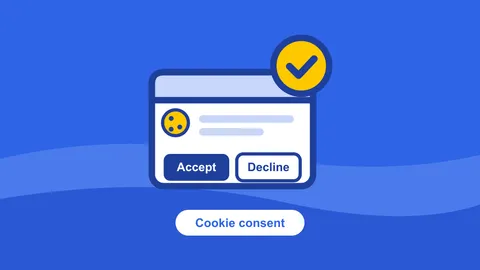
Pandectes adds a cookie consent banner to your Shopify store. Visitors accept, decline or choose by category, and every choice is recorded and passed to Shopify, so its pixels and checkout follow it. It supports the GDPR, the CCPA and other privacy laws. Pick a layout, match it to your theme and preview it live on your store before you publish.
Independently audited. The Pandectes cookie banner was audited by an external testing company against WCAG 2.2 Level AA, Section 508 and EN 301 549, with every criterion rated Supports or Not Applicable. See the audit details.
Three dialogs, every layout
Show a quick cookie notice, a full preferences dialog, or both in sequence, then let visitors change their mind any time from a small widget.
Cookie notice
The first thing visitors see: a fast way to accept or decline.
- Box
- Bar
- Wide
Preferences
Choice by category, with granular control over every cookie.
- Box
- Drawer
- Side panel
Consent widget
A small button that shows the visitor’s current consent and lets them change it.
- Bottom left
- Bottom right
Set the position, width and animation of each dialog, separately for desktop and mobile.
The right consent model for every market
Accept and Decline
Equal choices side by side. Nothing but strictly necessary cookies runs until the visitor agrees. Recommended under the GDPR.
Accept only
A single acceptance button, for regions where a notice with consent is enough.
Decline only
An opt-out notice: cookies run unless the visitor refuses, as US state laws allow.
Do not sell or share
A built-in opt-out toggle for California and the other US states that require one, shown only where it applies.
Enforced consent
Hold the page behind an overlay, with scroll locked, until the visitor makes a choice.
Implied consent
Where the law allows it, treat closing the banner as consent given, or as consent denied.
Combined with geolocation, each visitor sees only the banner their own law requires. →
Make it yours in minutes
A banner that looks bolted on reads as a third party. Match it to your theme and it becomes part of the shopping journey.
- Logos Upload your own or pick one from the gallery, for the banner and the widget.
- Colours Light, dark or custom, or let auto-calculate build a scheme from one colour.
- Buttons Solid or bordered styles, roundness and border width, with bold labels.
- Fonts and spacing Your store’s font, any size, padding, corners and shadow.
- Animations Zoom, fade or slide in, with the duration you choose.
- Custom CSS Full control for developers, separately for desktop and mobile.
Granular choices that build trust
Visitors who can say yes to part of it are more likely to say yes at all. The preferences dialog explains every category in plain words.
- Category descriptions in plain language, under each category
- The cookie list behind each category, grouped by provider
- Switches or checkboxes, and an optional Save preferences step
- Accept all and Deny all on the same screen
Speaks your shoppers’ language
- Write the banner once and add as many languages as you sell in
- Show each visitor the banner in their browser or store language
- Add a language menu to the banner header
- Link your privacy policy, imprint and Google partners page, with store-locale URLs
Smart behaviour, built in
Bots and crawlers
Hide the banner from known bots so they never inflate your consent rate, and set rules for specific user agents.
Reopen from anywhere
Add #reopenBanner to any link in your navigation and visitors can change their choice.
Close options
A close button, the Escape key, a click outside, scrolling or a timeout. You decide.
Storage and expiry
Store consent in a cookie or HTML storage, and ask again after the number of days you set.
Cross-domain consent
One consent for your main domain and every subdomain.
Visibility rules
Delay the banner, hide it on chosen pages, and keep it out of the theme editor.
Follow-up actions
Sync the choice across open tabs, reload the page, or redirect after a refusal.
JavaScript API
Read and set consent, open the dialogs and react to changes from your own code.
See it before your shoppers do
Every change shows instantly in the live preview. Switch between desktop and mobile, light and dark, then open it on your real store.
- Live preview Desktop and mobile, light and dark, every dialog.
- Preview on your store Changes sync in real time to your live theme, visible only to you.
- Shareable link Send a preview to your team or client before you publish.
How it works
Install the app
Install Pandectes from the Shopify App Store. It takes seconds and works with every theme.
Design your banner
Pick your dialogs and layout, match your brand, and preview it live.
Go live
Enable the banner for everyone, or for admins first to test it on your store.

Questions about the cookie banner
How do I add a cookie consent banner to Shopify?
Install Pandectes from the Shopify App Store, choose the banner’s dialogs and layout, match it to your brand and preview it live. Then enable it for everyone, or for admins first to test it on your store. It works with every theme. Our Shopify cookie banner guide covers the full setup, including what Shopify handles itself.
Is the cookie banner free?
Yes. The free plan includes a customizable banner, cookie detection when you install, consent tracking and customer data requests. Paid plans add the auto-blocker, Google Consent Mode v2, the Do not sell or share opt-out and more languages. See pricing.
Do I still need Shopify’s own cookie banner?
No. Pandectes passes each visitor’s choice to Shopify’s Customer Privacy API, so Shopify’s pixels and checkout follow it. With the auto-blocker it also reaches scripts in your theme and apps that don’t read that API. Turn Shopify’s banner off so visitors see only one. The comparison shows the difference.
Which privacy laws does the banner support?
It has consent models for opt-in laws such as the GDPR (Accept and Decline), for US state laws (opt-out and Do not sell or share) and implied consent where a law allows it. With geolocation, each visitor sees the banner their own region needs. Which model your store needs depends on where you sell, so take legal advice for your own case. Our guide to cookie banner requirements explains when a site needs one. For stores selling in Germany, our guide to cookie banners in Germany explains what § 25 TDDDG requires.
Why merchants choose Pandectes
Privacy compliance that installs in minutes, keeps your store fast and grows with you.
- 195k+
- stores installed Pandectes
- 3,120
- five-star reviews
- 17m+
- consents recorded every day
- 35
- privacy laws covered
Loved by Shopify merchants
Built for Shopify, and one of the most installed and highest-rated privacy apps in the Shopify App Store.

 3,120
Fast at any scale
From a first store to millions of visitors a day, with no slowdown for your shoppers.
Every privacy law
GDPR, CCPA/CPRA, LGPD, PIPEDA, APPI and 30 more, with the right banner for each region.
A global cookie dictionary
Every cookie on your store is matched to our database and categorised for you.
Proof of consent
A downloadable record of every consent, ready if a regulator asks.
Real people, 24/7
Our team answers by chat and email around the clock.
Make your Shopify Store's use of cookies and online tracking compliant today
Try for freeRecent Posts

A Practical Guide to the GDPR's Core Principles
The seven GDPR principles in practice: lawfulness, purpose limitation, data minimisation, accuracy, storage limitation, security and accountability, with examples for Shopify stores.

How Google Tag Manager Works with Cookie Consent
Google Tag Manager doesn't set cookies itself, but the tags inside it do. How GTM, a consent banner and Google Consent Mode v2 work together, and the mistakes that break compliance.
Shopify Cookie Consent: How to Set It Up, What Shopify Handles, and What You Still Need to Do
A step-by-step guide to cookie consent on Shopify: what Shopify's built-in settings and Customer Privacy API cover, what a consent banner must do, and how to check it works.