

Pandectes Consent Event
Every time a visitor answers your cookie banner, Pandectes can push a consent event, Pandectes_Consent_Update, to the dataLayer. Google Tag Manager, Shopify custom pixels and your own scripts can listen for it and act on the visitor's choice, category by category. Read the guide.
How it works
Turn on the event
In the app, open Integrations, tick Pandectes Custom Event and save.
The banner pushes the event
When a visitor accepts, rejects, changes or revokes consent, Pandectes pushes Pandectes_Consent_Update to the dataLayer, with the status of each cookie category.
Your tags react
Trigger tags in Google Tag Manager from the event, or subscribe to it in a Shopify custom pixel and run your own code.
The Pandectes Consent Event
One event, every consent choice
- One event name, Pandectes_Consent_Update, for every banner interaction.
- The status of each category: strictly necessary, functionality, performance and targeting.
- An overall status: allow, deny, mixed or revoke.
- Tells a new choice apart from one stored on an earlier visit.
- Works with Google Tag Manager and with Shopify custom pixels.
- Included in the Plus plan and above.
Frequently Asked Questions
What does the event contain?
Four fields. event is Pandectes_Consent_Update. pandectes_categories gives each category, C0000 (strictly necessary), C0001 (functionality), C0002 (performance) and C0003 (targeting), the value allow or deny. pandectes_status is allow, deny, mixed or revoke. pandectes_action says whether the consent is new or stored.
How do I use it with a Shopify custom pixel?
In Shopify admin, open Settings, then Customer events, and add a custom pixel. Set its permission to Not required, so it always runs, and subscribe to the event:
analytics.subscribe("Pandectes_Consent_Update", (event) => {
  // your code here, for example Google Tag Manager
});
Save and connect the pixel. The custom pixel guide has every step.
Can I rename the dataLayer?
Yes. The event is pushed to dataLayer by default, and you can give it another name to match your setup.
Which plans include it?
The Pandectes Consent Event is included in the Plus plan and above. See the plans.
Why Choose Pandectes GDPR Compliance?
Most popular
Shopify's most popular and widely used GDPR app on the app store with thousands of happy stores and hundreds of positive reviews.
Flexible & Modular
From small to large stores with millions of visitors per day Pandectes solution can serve visitors without any affect on stores performance.
Regulations Coverage
Pandectes GDPR Compliance covers the most popular data privacy laws and regulations around the world including GDPR, CCPA, VCDPA, LGPD, PIPEDA, PDPA & APPI
Banner Modes
Pandectes GDPR Compliance app provides different banner modes depending your needs.
Cookie Dictionary
Cookie dictionary maintains a global cookie database. Each cookie is compared with the database for auto-categorization and information.
Consent Records
Provides an audit trail of detailed consent records, easily downloadable to demonstrate compliance.
Multilingual
Pandectes GDPR Compliance app supports more than 130 languages. It also offers Google Translate integration.
Insights & Reports
Consent tracking, customer data requests, scan results are the main reports and insights to monitor your compliance in the best way.
24/7 Support
Our team of experts are always available to give you the best support with 24/7 coverage over chat and email.
Make your Shopify Store's use of cookies and online tracking compliant today
Try for freeRecent Posts
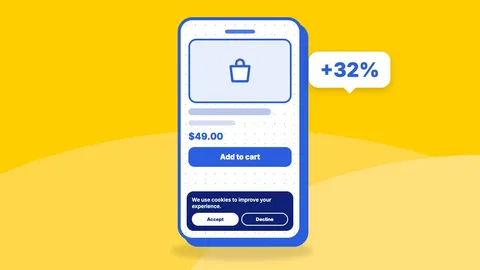
Cookie Banner Design for Shopify: How One Change Lifted Conversions by 32%
Cookie banner design best practices for Shopify, from a real A/B test where a non-blocking banner lifted conversion rate by 32% and kept consent compliant.
How New Jersey's New Data Broker Law A5328 Affects Marketing
New Jersey's data broker law A5328 brings registration fees, a ban on selling sensitive data and daily penalties. What it means for audience targeting, enrichment and consent.

GDPR and Bot Traffic: A Guide for Website Owners
Bot detection processes visitor data, so GDPR applies. How to choose a lawful basis, handle bot-detection cookies and consent, and document it for your Shopify store.